
technosales@zollaltech.com+966 54 673 4234Saudi Arabia
Product 02

E-Invoice Phase II ZATCA Integration

A flexible integration layer for Standard and Simplified Tax Invoice flows—connecting ERP, POS and billing systems to the ZATCA Fatoora platform with validation, enrichment, clearance/reporting and evidence handling.

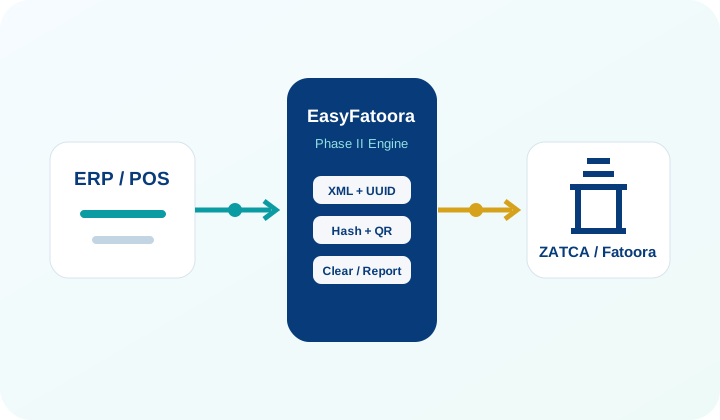
Illustration of ERP and POS integration through EasyFatoora to ZATCA Fatoora
Phase II integration

Keep core systems focused on business. Let the integration layer handle e-invoicing complexity.

EasyFatoora is designed to minimize changes in the source ERP/POS while centralizing the technical integration steps required to generate, submit and retain compliant e-invoice evidence.

Data Validation

Validate invoice data before submission and surface issues back to the source process.

+

Data Enrichment

Generate or enrich Phase II technical fields required for downstream processing.

XML

Structured Invoice

Create ZATCA-compliant XML and support PDF/A-3 with embedded XML where required.

QR

QR & Cryptography

Support UUID, PIH, ICV, QR and cryptographic processing according to the invoice flow.

ZATCA Interaction

Manage clearance/reporting API interaction and response handling with Fatoora.

Evidence & Archive

Retain XML, responses and invoice artifacts for traceability and operational support.

Two invoice journeys

Standard and Simplified flows are handled differently

The platform supports the distinct submission mechanics while giving operations one integration framework.

STANDARD TAX INVOICE / B2B

Real-time clearance flow

  1. Receive invoice data from ERP or billing system.
  2. Generate/enrich UUID, PIH, ICV and ZATCA-compliant XML.
  3. Submit the invoice for clearance.
  4. Receive the clearance response and ZATCA cryptographic output.
  5. Generate/retain customer invoice artifacts and XML evidence.
SIMPLIFIED TAX INVOICE / B2C

Reporting flow

  1. Generate invoice data, required technical fields and Phase II QR.
  2. Maintain invoice counter / previous hash sequence as applicable.
  3. Stamp the XML using the onboarded EGS credentials.
  4. Report invoice XML to Fatoora within the regulatory reporting window.
  5. Retain acknowledgement and archive evidence.
Integration architecture

Connect without redesigning your ERP.

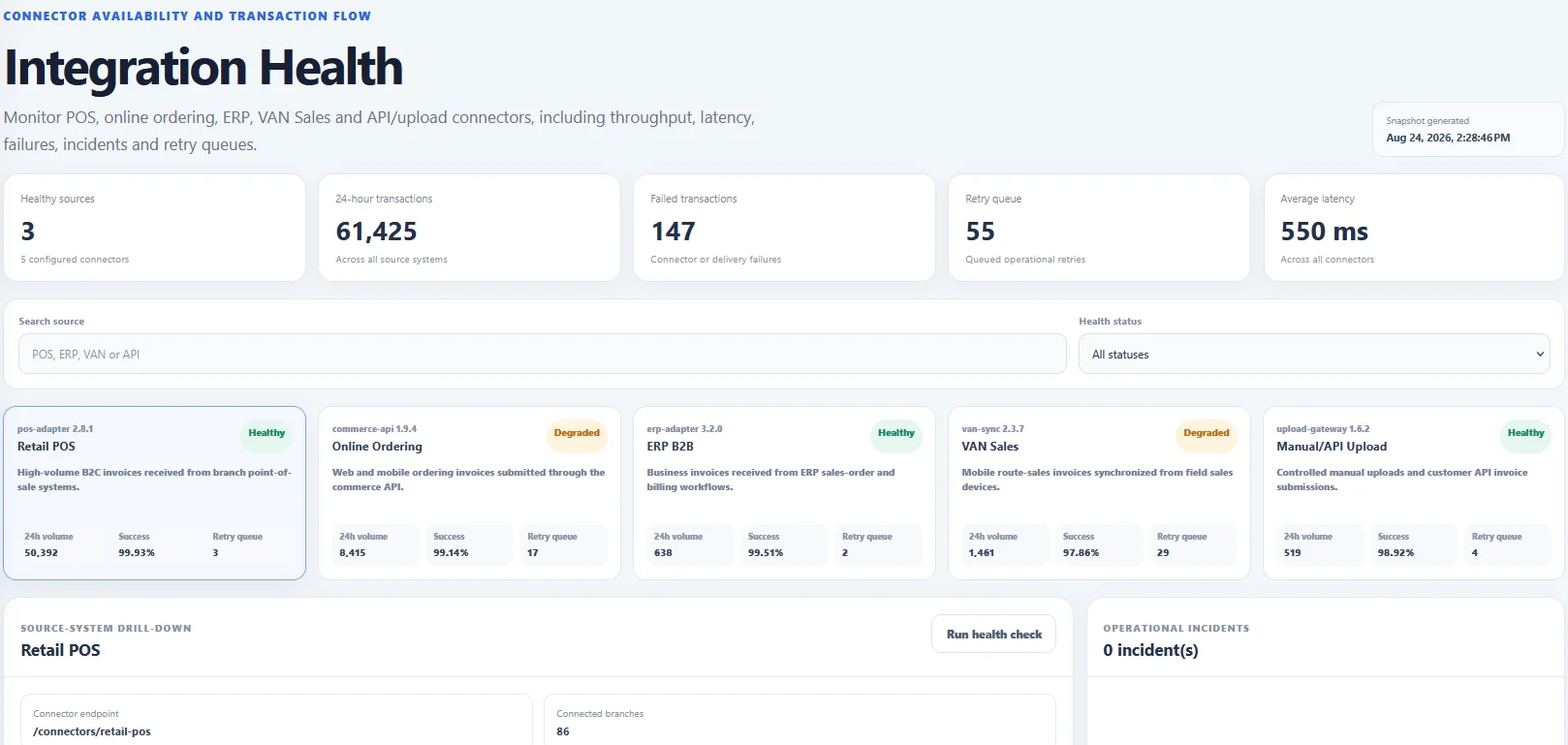
EasyFatoora can sit between existing business applications and ZATCA using secure APIs, a local agent, or customer-specific integration patterns. The objective is to keep source-system changes minimal while centralizing e-invoicing processing.

SAPOracleMicrosoft DynamicsOdooTallyPrimeCustom ERPPOSBilling Engines
EasyFatoora integration health screenshot
Deployment choices

Fit the solution to your architecture and security model

Deployment and connectivity can be scoped around the customer’s technical environment rather than forcing a single hosting pattern.

On-PremiseDeploy inside the customer-controlled environment.
Private Cloud / VPSCustomer-controlled cloud infrastructure and network boundaries.
Managed CloudCloud-hosted service for organizations that prefer managed operations.
Docker-BasedContainerized deployment for portable and repeatable rollout.
Phase II onboarding

From EGS onboarding to production integration

EasyFatoora supports the onboarding and operational steps required to connect e-invoicing generation solutions with ZATCA, including device/EGS registration workflows and credentials used for cryptographic processing.

Scope Sources
Onboard EGS
Validate Data
Pilot APIs
Production Cutover
Monitor & Support
Important

Regulatory requirements evolve. Your implementation should follow the current ZATCA technical guidance.

EasyFatoora implementation scope, invoice mappings, security design, deployment, SLAs and production controls are finalized for each customer environment during the solution-design and SOW stage. View ZATCA e-invoicing guidance ↗

Talk to an Integration Specialist